Objective: Detect the cause of strange behavior in a metric in Prometheus.
A curious situation came up at work with the monitoring of an application.
On the CPU usage panel available in the Grafana dashboard, there was a graph going up nonstop with absurd numbers.
The metric used is process_cpu_seconds_total, collected and exposed
by the Prometheus Python client.
This client collects the information from the file /proc/[pid]/stat where pid is the
id of the monitored process.
This metric can be read as “how many seconds my application has used on the CPU since it started”. Therefore, it makes sense for it to be a Counter, that is, it only increases.
So, to calculate the CPU usage percentage, the query below is used (“myjob” is just an example):
rate(process_cpu_seconds_total{job="myjob"}[5m]) * 100
This query can be read as “average rate of CPU seconds consumed per second by the process in the last 5 minutes”.
Considering that one CPU second consumed per second is 100% usage of one CPU core, we can multiply this value by 100 and then obtain the CPU usage percentage.
While investigating the problem, I saw that the graph of the metric collected by Prometheus looked like this:
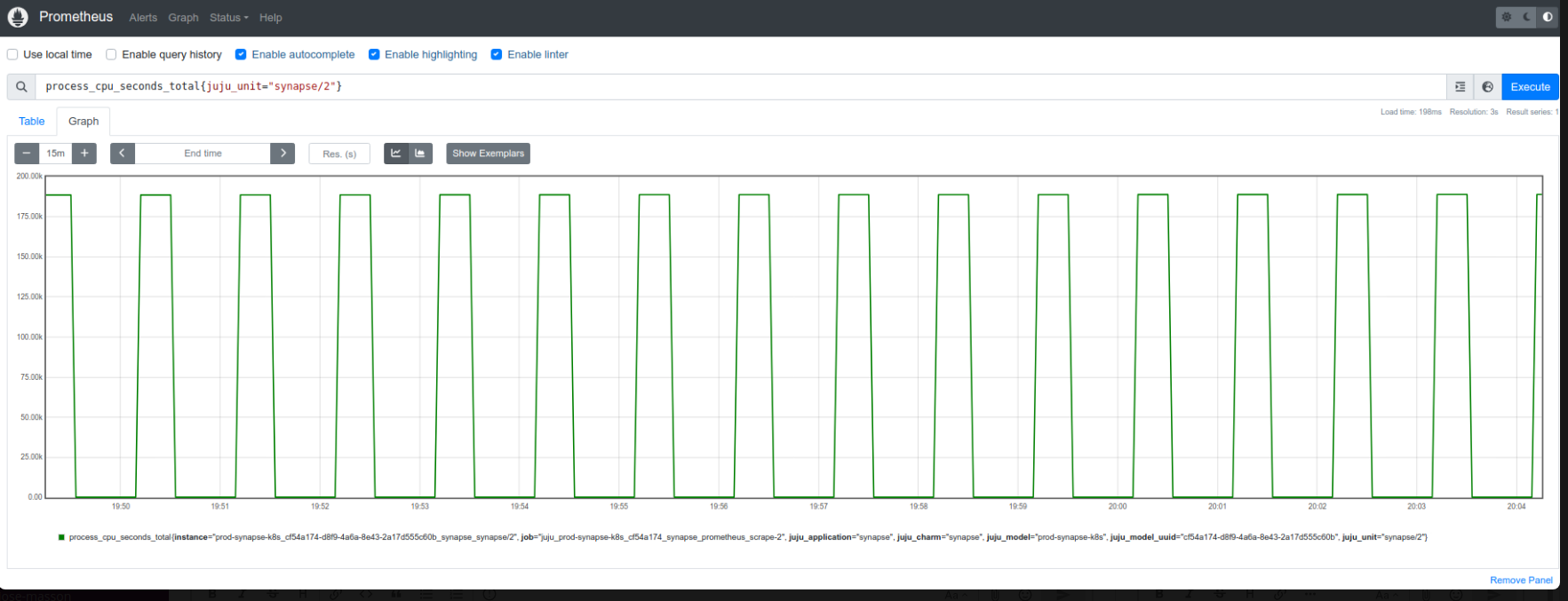
The expected would be something like this:
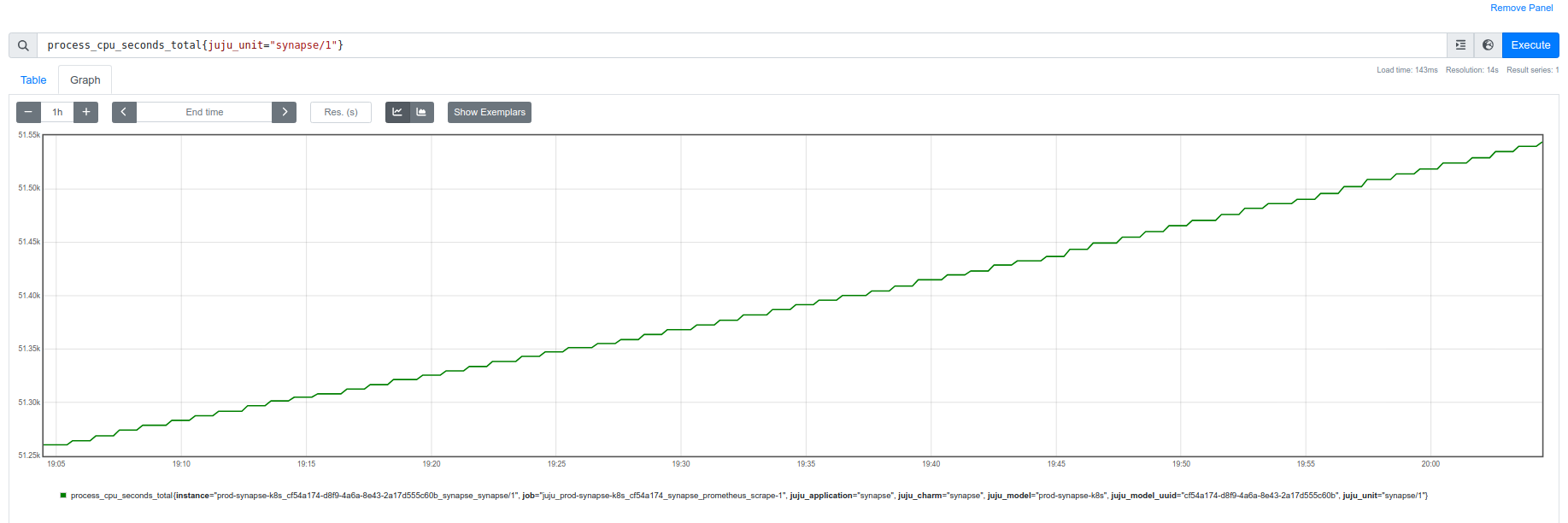
Solution:
After coming up with theories about the number of cores affecting the application’s collection, I finally discovered the problem: another target was sending the same metric with the same labels!
This happened because the application was being monitored in the same job with two different targets, so the metric was the same, generating this mess of values.
What could also have caused it would be a constant restart of the application, making the graph show the initial consumption until it was restarted and everything started over again.
The solution was to create separate jobs to collect the metrics, thus preventing one from overwriting the other.
References:
- Part of the code where the Prometheus Python Client collects CPU.
- What is Counter.
- “Calculate the Total CPU Usage of a Process From /proc/pid/stat”. Interesting article about how to collect CPU usage via shell script.